
Get an immediate response from AI—no form required. Would you prefer to speak with an expert? Schedule an appointment.
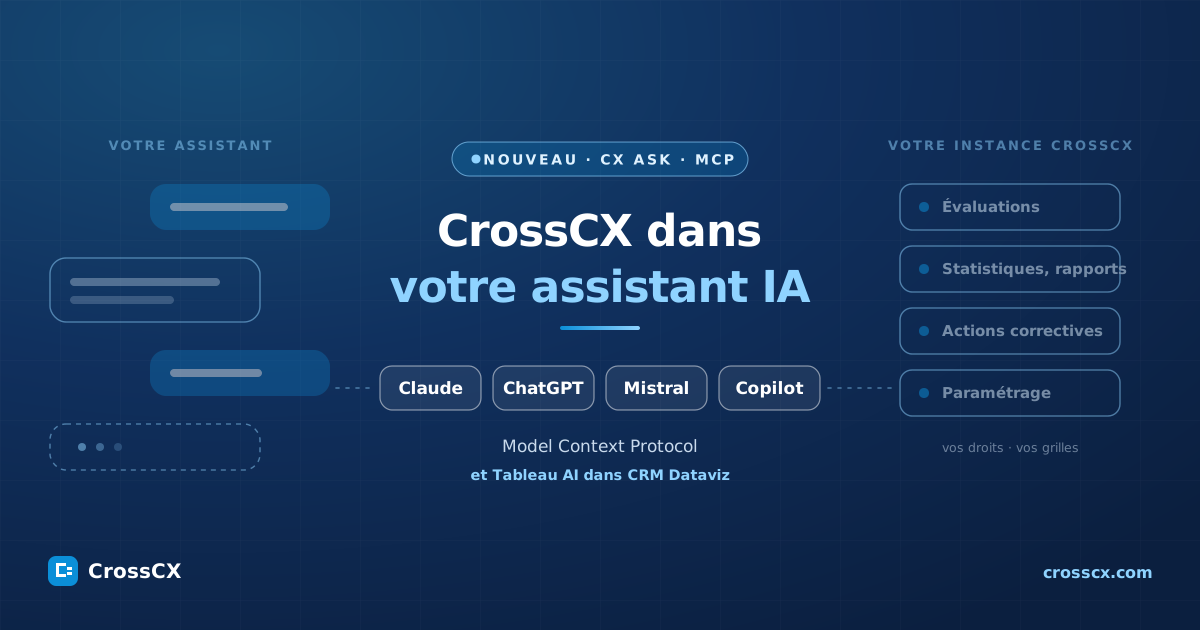
Your teams are already working with an AI assistant. CrossCX joins them: your evaluations, conversations, surveys, statistics, reports, actions, and settings are accessible through Claude, ChatGPT, Mistral, and Microsoft Copilot.
We are launching an MCP server on the CrossCX platform. MCP, which stands for Model Context Protocol, is the open standard that allows an AI assistant to interact with an application: read its data, query it, and trigger an action within it. Created by Anthropic in late 2024, it has since been adopted by OpenAI, Mistral, and Microsoft.
We call it CX Ask · MCP. CX Ask provides access to CrossCX in everyday language—a feature already available on the platform. CX Ask · MCP brings this functionality to the assistant you use: you connect to your instance, log in with your CrossCX account, and ask your questions. The assistant asks; CrossCX responds, based on your permissions and your configuration grids.
- ClaudeAnthropicCustom connector. On the web, in the desktop app, and on mobile.
- ChatGPTOpenAICustom MCP app. Business, Enterprise, and Edu plans available online.
- Mistral VibeMistral AI · formerly Le ChatCustom MCP connector, added by your administrator.
- Microsoft 365 CopilotMicrosoftVia an agent, created in Copilot Studio or deployed as a declarative agent.
- AI TableTableau · in CRM DatavizCRM Dataviz is based on Tableau: Tableau Agent and Tableau MCP are included in the scope, subject to Tableau licenses. See details





CX Ask · MCP is a platform add-on that can be enabled on demand. See the prerequisites
What You Can Do From Your Assistant
Six actions that you perform one after another in the same conversation. Choose one to see what it looks like.
Find a review or conversation, along with its rating scale, transcript, sentiment, tags, and topics.
Get aggregated statistics: volumes, quality scores, survey scores, and irritants—by team, campaign, or time period.
Initiate an action in CrossCX, after you approve it: create a corrective action, apply a tag, or prepare a debriefing.
Configure CrossCX in plain language: change a setting, adjust a grid or a survey, or get an explanation of what’s configured. This isthe natural-language administration feature of CrossCX, right in your assistant.
Get a report generated from your data at CrossCX. You specify the scope, time period, and metrics, just as you would for reports generated via the prompt at CRM Dataviz.
Display a " CrossCX " view in the conversation: filter a list or open a record without leaving the wizard.
Illustration of the principle. The actual display depends on your device.
Cross-reference CrossCX with your business data
Cross-referencing is what we do: we align what your customers say with what your systems know. In a wizard, this cross-referencing becomes a question.
- SurveysSurvey scores are in the data model at CrossCX, alongside your conversations and ratings. You can link an NPS to a sentiment score or a quality score.What is the NPS of customers whose conversations had a negative sentiment?
- BI and Business DataCorrelate reasons for dissatisfaction, quality ratings, sentiments, and themes with your revenue, sales, products, inventory, branches, campaigns, and teams.Which pain points are having the biggest impact on this month’s revenue?
- CRMView a customer’s complete history, including conversations and reviews.Why is this customer contacting us for the fourth time?
- Knowledge BaseCompare what your advisors and AI agents say with your official procedures to identify incorrect responses, missing procedures, or FAQs that need to be created.On which topics do the responses deviate from the procedure?
When it comes to your business data, there are two ways to go about it.
This is something we're reviewing with you, source by source.
Why an MCP server rather than just another assistant?
CrossCX already incorporates CX Ask, its AI chatbot, into its reporting. The MCP addresses another question: How can we bring CrossCX to where the work is already being done?
- Your teams have already chosen their assistant.They use it to write, prepare for meetings, and analyze documents. The question of quality arises alongside everything else: the answer must be able to address it.
- A single standard, not a vendor-specific integration.The same server supports Claude, ChatGPT, Mistral, and Microsoft Copilot. Whether you switch assistants or use multiple ones, nothing changes on the CrossCX side.
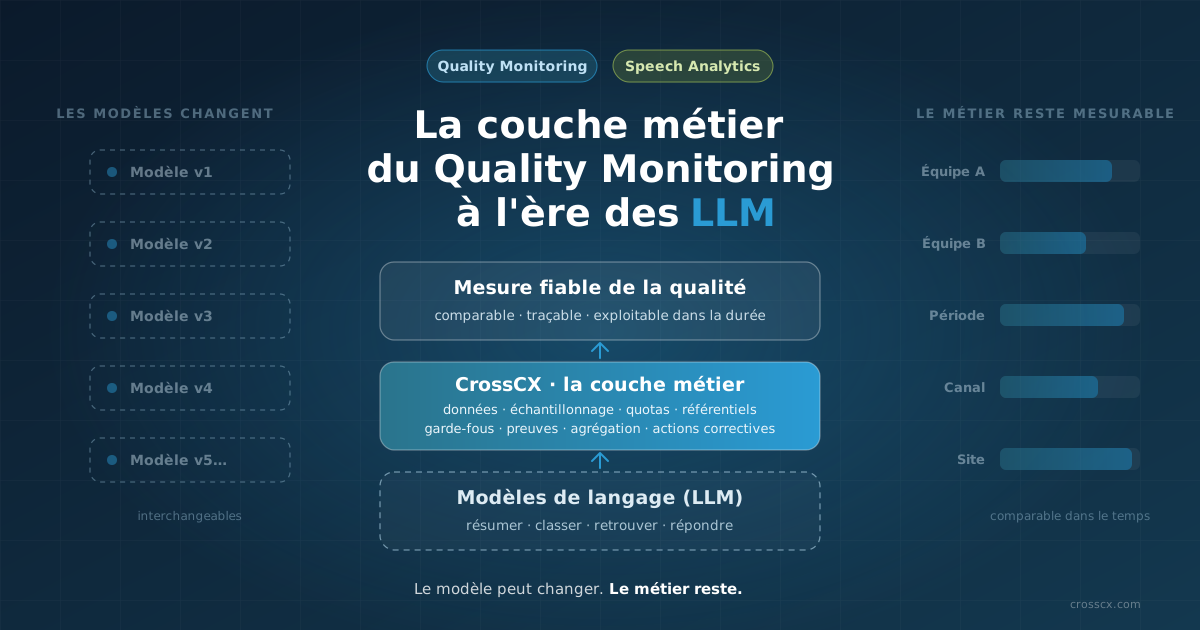
- The business layer remains unchanged.The wizard generates the request. Your grids, your sampling, your permissions, and your aggregations respond to it in CrossCX.
The assistant asks the question.
CrossCX keeps track of the count.
This is a direct extension of our stance on LLMs: we’re building CrossCX so that AI assistants and agents can rely on it, rather than each having to reinvent their own quality governance system.
Architecture
Three elements, and a single protocol connecting them.
The Journey of a Question
- Ask the question in your assistant using everyday language.
- The assistant selects the appropriate CrossCX tool and launches it on the MCP access point of your instance.
- CrossCX checks who is making the request. It recognizes the logged-in account and applies its permissions: centers, campaigns, grids.
- CrossCX runs and returns a structured result: evaluations, conversations, pre-calculated statistics, a report, and—depending on the assistant—an interactive view.
- The assistant drafts the response based on this result. For any action or setting, it asks for your approval before writing it.
Four Design Principles
What data is transferred, and where. To compose a response, the assistant receives the result returned by CrossCX. This result is then processed by your assistant’s provider, in accordance with the contract your organization has signed with them. This is how a connector normally works, and it is something you should confirm with your CIO and DPO before launching the service. See also CrossCX and GDPR.
Connection and security procedures are not detailed here; we will discuss them with your IT director at the time of activation.
Prerequisites
Three sets of conditions: on CrossCX, in your assistant, and within your organization.
Side CrossCX
- CrossCX. CX Ask · MCP is an add-on that is activated on demand, on a per-instance basis: please contact us.
- One CrossCX account per person. Everyone logs in with their own account. Your usual permissions apply.
- A set of modules. Listener QM, Cross-Mining, CRM Dataviz, Listener Survey, Listener LMS , and Admin Tools are included, depending on which ones you use.
On the assistant side
Conditions vary from publisher to publisher. Choose the one that's right for you.
- Offer
- All of them, from Free to Enterprise. On Free, there is only one custom connector.
- Who adds it?
- For an Individual plan, you yourself. For the Team plan, an organization owner. For the Enterprise plan, an owner or an authorized role. Each member then logs in with their CrossCX account.
- Where
- "Customize > Connectors," or "Organization Settings > Connectors" for a team. The connector can then be used on the web, in the desktop app, and on mobile.
- Actions
- Yes. Claude asks for your permission before calling a tool; permanent authorization is set on a per-tool basis.
- Interactive Views
- Yes, on the web and in the desktop app.
- Official Guide
- Custom Connectors Using Remote MCP
- Offer
- Business, Enterprise, or Edu for full functionality, including viewing and actions. In Pro, developer mode is limited to viewing.
- Who adds it?
- A workspace administrator: They enable developer mode, create the app using the server address, test it, and then publish it.
- Where
- ChatGPT on the web.
- Actions
- Yes, with confirmation based on the action. OpenAI is presenting this comprehensive support as a beta.
- Interactive Views
- Yes.
- Good to Know
- Once published, the list of tools is final. When the server is upgraded, the administrator approves the update.
- Official Guide
- Developer Mode and MCP Apps in ChatGPT
- Offer
- All of them. The administrator is responsible for adding a connector; for an individual plan, it is the account holder.
- Who adds it?
- The administrator, from the Connectors page, by adding a custom MCP connector.
- Where
- Vibe, Mistral's assistant, at chat.mistral.ai.
- Actions
- Yes. Each function can be adjusted separately, and Mistral distinguishes between read and write functions.
- Interactive Views
- Served by CrossCX ; how they appear depends on the version of Vibe. Otherwise, the same response is returned as text.
- Official Guide
- MCP Connectors
- Product
- CrossCX , in an enterprise setting. is not added as a connector by the user; it goes through an agent.
- Two lanes
- An agent created in Copilot Studio, to which the MCP server is added as a tool. Or a declarative agent for Microsoft 365 Copilot, built using the Microsoft 365 Agents Toolkit.
- Who adds it?
- An agent creator or a developer in your organization. The Microsoft 365 administrator authorizes and then deploys the agent.
- Where
- In Microsoft 365 Copilot, among your agents. A Copilot Studio agent also appears in Teams.
- Licenses
- Depending on your Microsoft contract: Microsoft 365 Copilot licenses, or Copilot Studio with pay-as-you-go billing.
- Actions
- Yes. In a declarative agent, Copilot asks for your permission before using a tool that modifies data.
- Interactive Views
- Yes, in a declarative agent: the interface is displayed in the response.
- Good to Know
- In Copilot Studio, the MCP requests generative orchestration. For read-only use, Microsoft also offers a federated connector, which must be configured by an administrator.
- Official Guides
- Connect an agent to an existing MCP server (Copilot Studio) · Create a plug-in for a declarative agent from an MCP server
Terms and conditions taken from each publisher's public documentation. These are subject to change; the official guide is the authoritative source.
Organizational Aspects
- Internal validation. The CIO, CISO, and DPO validate the wizard used and the scope of the integration, as with any connector.
- A default scope. Who has access to it, in which teams, and whether it’s read-only or includes actions and administration.
- A connection arranged through us. The technical and security details will be worked out between your IT department and our teams at the time of activation.
In " CRM Dataviz ": AI Painting
CRM Dataviz, the reporting module of CrossCX, is based on Tableau. Tableau’s AI is therefore included in the scope, alongside CX Ask · MCP. Two components are of interest to us.
Subject to Tableau licenses. These features are provided by Tableau, not by us. Their availability depends on the Tableau version, the subscription edition, user roles, and the publisher’s license terms. According to Tableau’s documentation, AI in Tableau requires version 2025.3 or later on Tableau Server, along with a contract with OpenAI or Azure OpenAI; on Tableau Cloud, availability depends on the edition. Its implementation in your CRM Dataviz environment is evaluated on a case-by-case basis: please contact us.
Getting Started: Four Steps
- You contact us. Together, we review your assistant, your scope, and your usage patterns, and then we enable the add-on on your instance.
- Your assistant is connected. Its administrator adds the connector to Claude, ChatGPT, or Mistral, or deploys the agent in Microsoft 365 Copilot, following the publisher’s guide. We’re here to help.
- Each user logs in with their usual CrossCX account. Their permissions follow them.
- You ask the first question. Start by reading; move on to operations and administration once the team has gotten its bearings.
Connect CrossCX to your assistant
Tell us which assistant you use. We'll get back to you with the complete process, from activation to the first question.
Trust does not preclude oversight
Opening CrossCX to an assistant shouldn't compromise your control. Just three settings are all it takes to stay in control.
- Start by listening.First, observe and ask questions. Then move on to actions and management once the team has found its footing.
- Keep the request for approval of actions.Each assistant is responsible for it. Reserve permanent authorization for reading tools.
- Only enable the connector where it's needed.By conversation, agent, or team, depending on the assistant: you choose where CrossCX is available.
Frequently Asked Questions
What is the MCP?
The Model Context Protocol is an open standard that describes how an AI assistant connects to an application to read data from it and trigger actions. Created by Anthropic in late 2024, it is now supported by Claude, ChatGPT, Mistral, and Microsoft Copilot, among others. An MCP server exposes tools; the assistant chooses which one to call based on your request.
What is CX Ask?
CX Ask is the name we use in everyday language to refer to access to CrossCX . Within the platform, it’s the AI chat feature integrated into your reports. With CX Ask · MCP, it’s the same access, available through the assistant you already use, where it integrates with your other tools.
Do you need a special subscription for Claude, ChatGPT, Mistral, or Copilot?
It depends on the provider. Claude supports custom connectors across all its plans. ChatGPT reserves full access—including reading and actions—for its Business, Enterprise, and Edu plans. Mistral offers them across all its plans; an administrator must enable them. Microsoft 365 Copilot requires an agent, depending on your Microsoft contract. See the prerequisites for details.
How does Microsoft Copilot work?
In Microsoft 365 Copilot, " CrossCX " takes the form of an agent. Your organization creates it in Copilot Studio by adding the MCP server as a tool, or deploys it as a declarative agent. Your employees can then find it among their agents. We’ll guide you through this process.
Is Tableau AI included?
Tableau AI is a Tableau product. Since CRM Dataviz is based on Tableau, we include it within the scope of coverage; however, its availability depends on the Tableau version, edition, and licenses. This is evaluated on a case-by-case basis: please contact us.
Can the assistant see all of our data?
No. He can only see what the logged-in CrossCX account can see: the same centers, the same campaigns, the same schedules. And he only receives the results of the requests you send him.
Can we limit it to reading?
Yes, in two ways. On the CrossCX side, the assistant cannot do anything that the logged-in account is not authorized to do. On the assistant’s side, certain features may be disabled or require your consent, depending on the provider and the service.
How does this differ from the CrossCX APIs?
CrossCX 's APIs connect the platform to your systems: CRM, enterprise systems, and business tools. The MCP connects it to your assistants and AI agents. The two coexist.
CrossCX Does he choose the model?
No. It's your assistant, your subscription, and your template. CrossCX provides the data, rules, and actions; the template can change without us having to do anything.
What about another assistant, or an agent we're developing?
MCP is an open standard. Today we are announcing Claude, ChatGPT, Mistral, and Microsoft Copilot; for other compatible clients or technical uses, please contact us.
Crossing channels, integrating signals, and linking analysis to action. With CX Ask · MCP, we also connect CrossCX to the tools your teams are already using.
CrossCX, where your teams are already working
We'll show you CX Ask · MCP in the assistant of your choice.
- Model Context Protocol: An Overview of the Standard.
- Anthropic, Getting Started with Custom Connectors Using Remote MCP, Claude Help Center.
- OpenAI, Developer Mode, and MCP Apps in ChatGPT, OpenAI Help Center.
- Mistral AI, MCP Connectors, Vibe documentation.
- Microsoft, "Connect Your Agent to an Existing MCP Server," Copilot Studio documentation; and "Create a Plug-in for a Declarative Agent from an MCP Server," Microsoft 365 Copilot documentation.
- Tableau, Enable AI in Tableau for Your Site, Tableau Server Help; and Tableau MCP, Official Repository.